
The Language of Software Interfaces
Flex is an open, non-proprietary domain-specific modeling language for precise software interface specification.
Flex gives you a verifiable, rigorously-defined standard for data structures, interoperability, and behaviors so that you can move with speed and confidence.
Get Started »Built for Rapid Integration
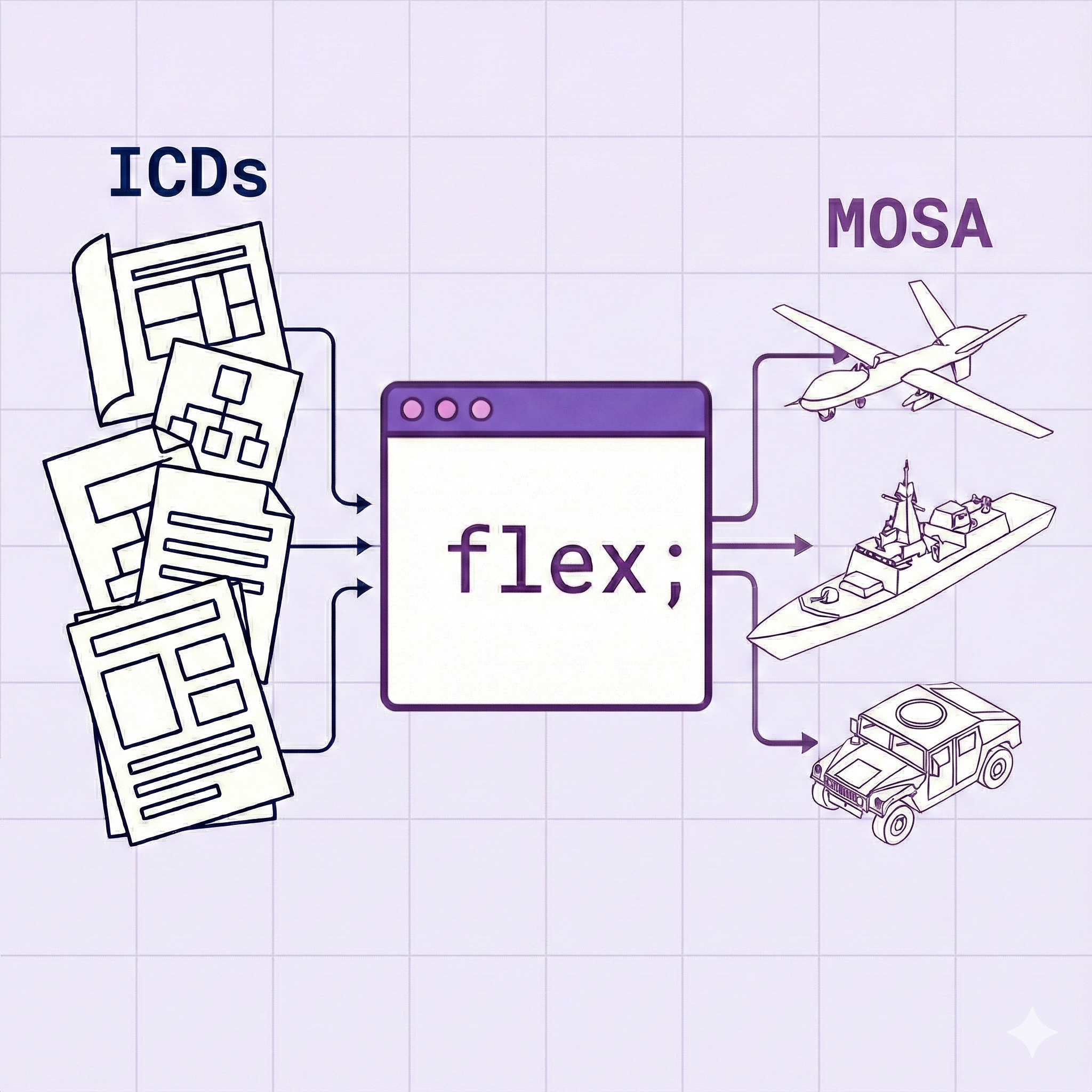
Speed matters. Today's complex systems demand rigorous specification of interfaces, which enables a Modular Open Systems Approach (MOSA), machine-readable interfaces, and rapid integration across vendors.
Flex makes that practical.
Flex turns digital ICDs into executable interface definitions:
- Machine-readable ICDs
- Faster integration
- Modular competition
- Continuous delivery
- Non-proprietary interface documentation
Flex empowers teams to design and build quickly with confidence that systems will work.
Enabling MOSA Today
Flex powers mission-critical systems that require MOSA-aligned interoperability.
Used across defense and autonomy programs, Flex helps teams define machine-readable interfaces that enable modular integration, safe evolution, and faster delivery – so they can focus on capability, not compatibility.

Micro Air Vehicle Link
A protocol for communicating with small unmanned vehicles, widely used in drone and UAV systems.

Robot Operating System
A flexible framework for writing robot software, providing tools and libraries for building robotic applications.

STANAG-4586
A NATO standard for the interoperability of UAV control systems, ensuring different UAV systems can work together.
Why Choose Flex?
A modern approach to system interoperability and data modeling
What is Flex?
Flex is a domain-specific modeling language designed for modern software systems and their interactions. It combines the power of type safety with the flexibility needed for complex system integration.
- Non-proprietary, open-source modeling language
- Define data structures, transformations, and interfaces
- Human and machine readable format
- Proven on government and industry standards
Key Benefits
Flex provides powerful capabilities that make it the ideal choice for system integration and data modeling:
- Easily leverage formal methods for your software design
- Ensure system robustness and maintainability
- Seamlessly convert between formats (Protobuf, XSD, IDL, etc.)
- Generate consistent interface libraries in multiple languages
Core Features
Rich Primitive Types
Flex supports a wide range of primitive types including signed and unsigned integers of various bit widths (e.g., int8, uint64), float32, float64, string, and bit. It also includes special types like arrays (T[]) and optionals (Optional<T>).
Type Safety
With features like newtype, you can create distinct types from underlying primitives to enforce compile-time guarantees about data that would normally be non-distinct. This helps prevent common errors and improves the robustness of your system.
Built-in Functions
The standard library is packed with built-in functions for common operations like length, range, zip, enumerate, and a comprehensive set of math functions (sin, cos, sqrt, etc.), all designed to make your specifications concise and powerful.
Powerful Transforms
Define canonical translations between message types with transform functions. Transforms are the glue that enables components to communicate even if they use different message standards, ensuring information is preserved and unambiguous.
Contextual Parameters
When a transform needs additional information, like a timestamp or a UUID, it can specify contextual parameters. This ensures that all necessary data is available for the translation without cluttering the primary message definition.
Pattern Matching
Flex includes powerful `match` expressions for control flow, allowing you to elegantly handle different variants of a data type or deconstruct optional values, leading to cleaner and more readable code.
Flex by Example
Flex's syntax is designed to be intuitive and expressive.
Structs and Messages
Transforms
Protocols and Behaviors
Get Started
Interested in trying Flex?
Download our tools to start working with Flex in your development environment.
Check out the language documentation to learn more about Flex syntax and features.
VS Code Plugin
Syntax highlighting, IntelliSense, & parsing for Flex files directly in Visual Studio Code.
Inspired by industry, academia, and technology from DARPA.